
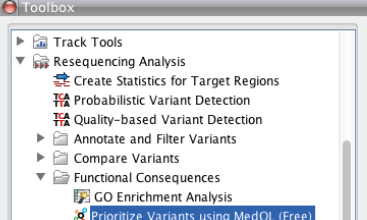
CLC bio and BioQL have released of the MedQL Variant Prioritiser plugin for CLC Genomics Workbench.
The plugin connects with MedQL’s online database to prioritise a list of variants in gene regions based on their degree of association with a given phenotype.
The MedQL database contains more than 20 million articles from Medline, indexed using a dictionary of nearly 300,000 terms from authoritative ontologies such as the HUGO Gene Nomenclature Committee (HGNC), the Human Disease Ontology, and the Online Mendelian Inheritance in Man (OMIM).
Professor at the Center for Medical Genetics and Molecular Medicine at Haukeland University Hospital in Bergen, Norway, Stefan Johansson, PhD, said: “Making sense of the large amounts of data generated from our exome sequencing projects is a challenging and time consuming task.
“There is a great need for computational approaches that can help us prioritise candidate genes for functional studies.”
Director of Global Partner Relations at CLC bio, Mikael Flensborg, added: “We believe MedQL has the potential to be an effective time saver for researchers working with variant prioritisation.”
Using CLC Genomics Workbench, a common workflow to detect causative mutations in medical genomics involves read mapping and variant detection.
The result is a list of candidate gene variants that differ from the reference genome.
The MedQL plugin uses an evidence-based approach to prioritise these genes for functional studies and, thereby, allowing researchers to focus their efforts on the most promising candidates.


